
DISPLAY not set. Please set the DISPLAY
- 原创
- |
- 浏览:8377
- |
- 更新:
- |
- 标签:外语学习
![DISPLAY not set. Please set the DISPLAY]() 1
1![DISPLAY not set. Please set the DISPLAY]() 2
2![DISPLAY not set. Please set the DISPLAY]() 3
3
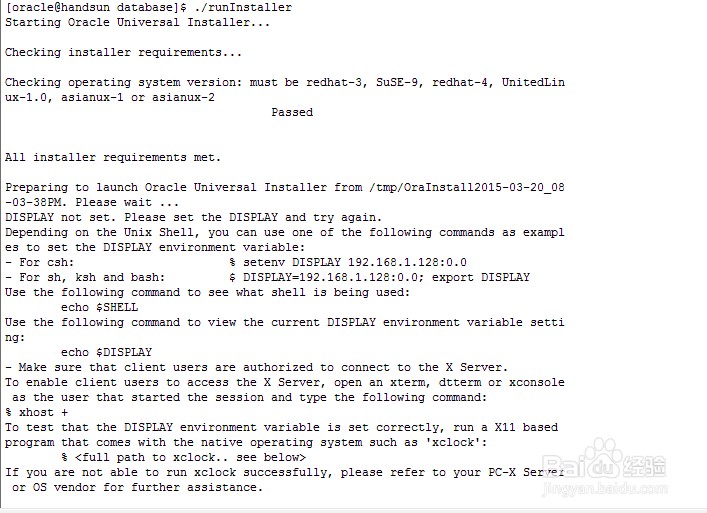


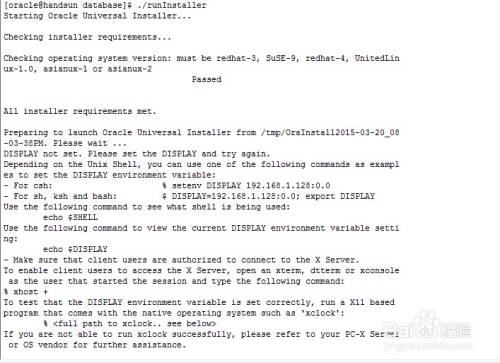
Linux下安装oracle数据库提示DISPLAY not set. Please set the DISPLAY and try again。
方法/步骤
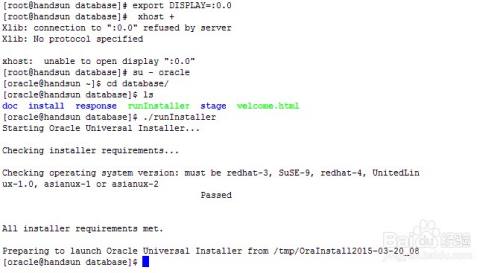
切换到root用户,执行以下命令:
[root@localhost ~]# export DISPLAY=:0.0
[root@localhost ~]# xhost +
access control disabled, clients can connect from any host
[root@localhost ~]#
执行以上命令后,再次切换到oracle用户执行安装即可。
[root@localhost database]# ./runInstaller
![DISPLAY not set. Please set the DISPLAY]()
执行以上命令后,再次切换到oracle用户执行安装即可。
[root@localhost database]# ./runInstaller
![DISPLAY not set. Please set the DISPLAY]()
![DISPLAY not set. Please set the DISPLAY]() END
END- 相关内容未经许可获取自百度经验

经验内容仅供参考,如果您需解决具体问题(尤其法律、医学等领域),建议您详细咨询相关领域专业人士。
作者声明:本篇经验系本人依照真实经历原创,未经许可,谢绝转载。
展开阅读全部